
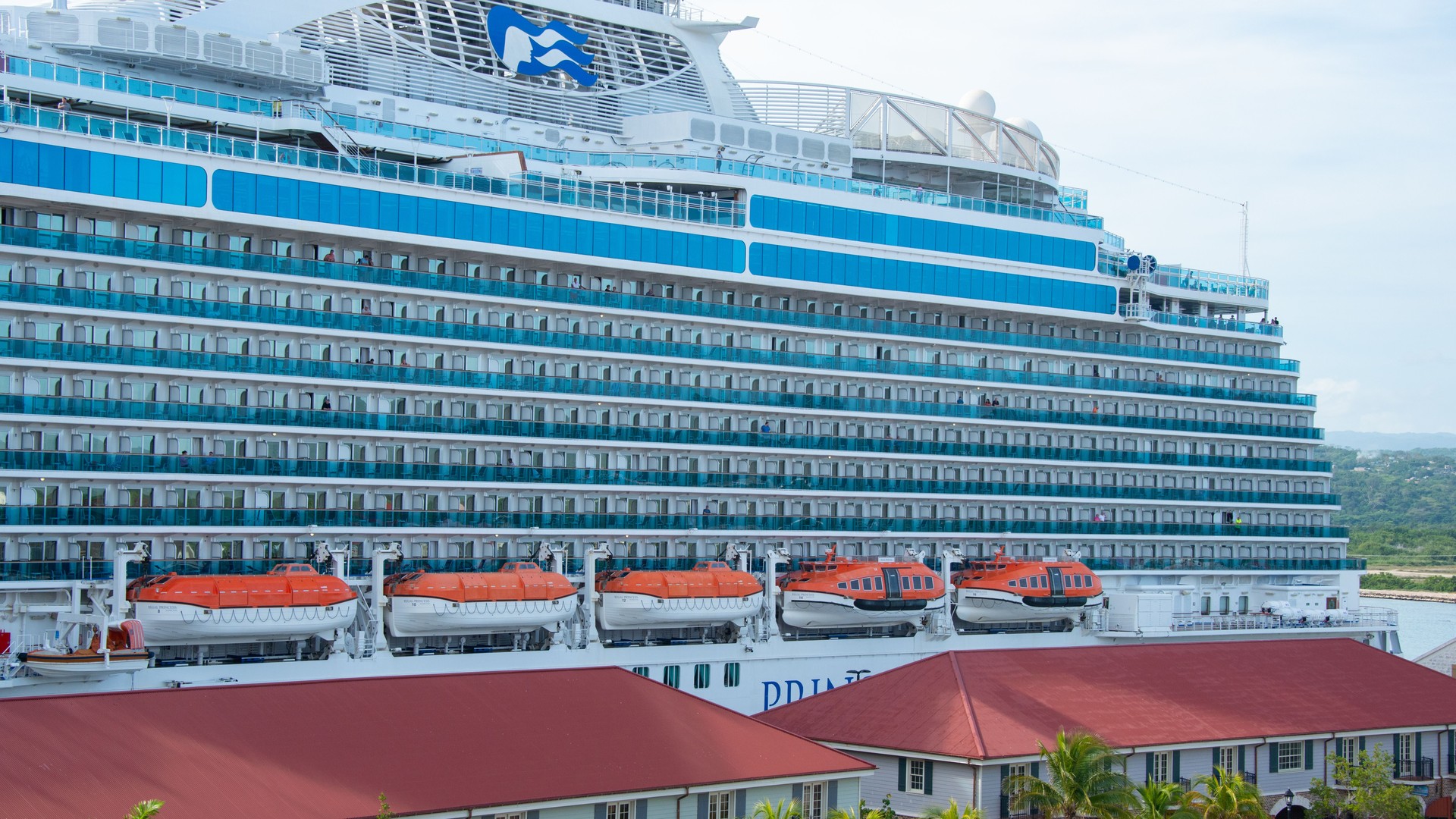
Quick answer: Royal Caribbean is the simplest family buy for cruise Wi-Fi, with a four device plan at about $80 per day pre-cruise. Carnival Premium multi device runs roughly $68 to $90 per day and Norwegian four device streaming about $85 per day, so buy the multi device plan, not four single plans, and check what your fare already includes.
Why cruise Wi-Fi is now a family budget line
A family of four on a 7 night cruise does not buy one internet package. You buy connectivity for four devices, for seven days, at per device per day prices. At $20 to $49 per device per day, the Wi-Fi bill can land anywhere from about $560 to well over $1,000 for the week. That is no longer a footnote. It is one of the bigger optional costs of the cruise.
Starlink at sea changed what that money buys. The old ship internet ran on geostationary satellites with round trip latency around 500 to 700 milliseconds, which is why video calls froze and pages crawled. Starlink uses low earth orbit satellites, and latency drops to roughly 20 to 60 milliseconds. On a Starlink ship, Zoom, FaceTime, and streaming work the way they do on land, at least outside peak evening hours when thousands of passengers are online at once.
By 2026, Starlink is effectively the industry standard on the major lines. Carnival Corporation finished its fleetwide rollout in May 2024, Royal Caribbean Group in July 2024, and Norwegian Holdings in mid 2025. The story for families is no longer whether the ship has Starlink. It is which tier, how many devices, and what it costs for a family of four.
What Starlink did not change is the pricing logic. Every major line still charges per device per day, still discounts pre-cruise purchases by roughly 20 to 30 percent versus onboard prices, and still sells speed in tiers. The family play is not finding free Wi-Fi. It is picking the line and package where four devices cost the least for what your kids actually do online.
The ranking
1. Royal Caribbean: the simplest family math
Royal Caribbean runs Starlink fleetwide, and it sells exactly one package: VOOM Surf + Stream. No tiers to decode. Streaming, video calls, social media, and browsing are all included.
Pre-cruise pricing runs about $20 to $21 per device per day, with onboard prices reported from about $29 to $39 per device per day depending on ship and sailing. The family lever is the multi device plan: two devices run about $52 per day and four devices about $80 per day in the cruise planner. Sky and Star suite guests get VOOM included, and Diamond level Crown and Anchor members and above get complimentary days.
Family verdict: the easiest recommendation on this list. One package, fleetwide Starlink, and a four device plan that brings the per device cost to about $20 a day. If your family needs everyone online at once, start here.
2. Carnival: the best multi device bundle for families
Carnival runs Starlink fleetwide as part of Carnival Corporation’s May 2024 rollout, and it sells three tiers. Social runs about $20.40 per device per day pre-cruise and covers social apps and airline sites only. Value runs about $23.80 and adds email and browsing but no streaming. Premium runs about $25.50 and adds streaming and video calls at roughly three times the speed of Value. Carnival raised these prices in late 2025 for sailings departing on or after December 1, 2025.
The family buy is the Premium multi device plan: four devices at once, reported at roughly $68 to $90 per day pre-cruise depending on the source. That is the only Carnival plan that keeps four devices online at the same time without logging each other out. Single device plans can be swapped between devices by logging out and back in, and the free HUB app covers ship functions with no package needed.
Family verdict: skip Social for a family trip. Kids live on video, and Social blocks it. If everyone needs to be online, Premium multi device is the plan. If only one parent needs email and browsing, Value alone is the cheapest sensible buy.
3. Celebrity: check the fare bundle first
Celebrity runs Starlink fleetwide. Basic Wi-Fi runs about $18 to $21 per device per day for browsing, email, and social media, with no streaming. Premium runs about $27 to $35 per device per day and adds streaming and video calls, reportedly covering three devices.
The catch that matters for families: Basic Wi-Fi is included in Celebrity’s Always Included fares. If you booked an Always Included fare, you may already have the browsing tier covered and only need to price the Premium upgrade, not a full package. Without the bundle, Premium is the buy.
Family verdict: a strong second choice behind Royal Caribbean, and the best choice if your fare already bundles Basic.
4. Norwegian: minutes and bundles beat the daily rate
Norwegian runs Starlink fleetwide after completing its rollout in mid 2025. The current two pass structure runs about $29.99 per device per day for the Voyage Wi-Fi Pass (browsing, email, messaging, social) and about $39.99 per device per day for the Streaming Voyage Wi-Fi Pass (HD streaming, video calls, VPN). A four device streaming option is reported at about $85 per day.
Before you pay any of that, check two things. First, the More At Sea program includes Wi-Fi minutes per guest, not unlimited access: 75 minutes on 2 to 6 night sailings, 150 minutes on 7 to 11 night sailings, and 300 minutes on 12 night and longer sailings, one login per guest. Every guest in the stateroom gets their own allocation, so a family of four on a 7 night sailing gets 150 minutes each. Second, some fares bundle the streaming tier outright.
Family verdict: never buy Norwegian Wi-Fi at the daily rate first. Check More At Sea minutes and fare bundles, then price the streaming pass only if the bundle falls short.
5. Princess: the bundle line
Princess runs Starlink fleetwide as part of Carnival Corporation’s rollout, delivered through MedallionNet. The Classic tier is the browsing tier. The Max tier, with prioritized Starlink bandwidth and full streaming, is not sold standalone. It comes only inside bundles.
Standalone pricing changed on October 13, 2026, and this is the biggest 2026 change on this list. The standalone four device plan was removed. Standalone Classic now runs about $27.99 per device per day for one device pre-cruise, or about $39.99 per day for two devices pre-cruise. Princess Plus, which includes Max for one device per guest, and Princess Premier, which includes Max for four devices per guest, each rose $5 per person per day in the same change, to about $84 and $134 per person per day. Those bundles also add drinks, specialty dining, excursion credits, and more. Platinum and Elite Captain’s Circle members get 50 percent off standalone MedallionNet.
Family verdict: Princess only makes sense for families through the bundle math. Premier’s four devices per guest is the family route to streaming. If your family would use the drinks and dining credits anyway, Premier turns an expensive Wi-Fi tier into a reasonable package. If you only want internet, the standalone tiers are browsing only, and that is a weak buy for kids who stream.
6. Holland America: check the bundle, then buy Stream
Holland America runs Starlink fleetwide as part of Carnival Corporation’s rollout, and its packages were restructured in 2026. Surf, the browsing tier, is no longer sold standalone. It comes only inside the Have It All fare. The purchasable tiers are Premium, from about $26 per device per day on a 7 day package basis, which adds audio and video calling and file transfer but no streaming, and Stream, from about $38 per device per day on a 7 day package basis, with full streaming. Reported per day equivalents vary by source and by package basis, so verify at booking.
Family verdict: Stream is the streaming buy, and Have It All is worth checking first since it includes Surf with prorated upgrades to higher tiers. Do not buy Premium expecting Netflix. It does not stream.
7. MSC: fine on newer ships, and watch the device lock
MSC completed its fleetwide high speed upgrade in 2024. Its Browse package covers web, email, and social, and Browse and Stream adds streaming and video calls. Historical 7 night pre-cruise figures run about $112 for Browse and about $140 for Browse and Stream for one device, roughly $16 to $20 per day, but 2026 guest reports run higher, so verify at booking.
MSC carries the biggest gotcha on this list for families: a package is locked to one physical device and cannot be switched between devices. A phone plan cannot move to a laptop. Each device needs its own package, with discounts for buying multiple packages.
Family verdict: acceptable on a newer MSC ship, where speeds support streaming. On an older ship, treat it like a browsing package and do not pay streaming prices for it. And budget per device, because the device lock means no sharing one plan across the family.
8. Disney: the priciest, and the hardest to pin down on Starlink
Disney charges the most among the major family lines. The standard Internet Package runs about $30 per device per day after an early 2026 increase from $26. The Internet + Streaming Package runs about $49 per device per day, up from $42. Packages are sold only onboard through the Navigator app, in 24 hour blocks, with no pre-cruise discount. The Navigator app itself, for schedules, onboard information, and onboard chat, is free on the ship network without any package.
On Starlink specifically, third party guides report Disney ships running Starlink, but Disney itself has not announced a fleetwide rollout, so treat that as reported rather than confirmed. What is not in doubt is the price, which is the highest here.
Disney does allow guests to log in and out of a package, which is the family trick here. Instead of buying four streaming connections at $49 each per day, many families buy one or two and rotate usage through the day, which cuts the bill sharply.
Family verdict: the weakest value on this list for a connected family. If you sail Disney, buy fewer connections than devices and rotate. If constant connectivity for four devices matters more than the Disney experience itself, another line on this list serves you better.
Not ranked: Virgin Voyages runs Starlink with basic Wi-Fi free for every sailor, but it is an adults only line, so it does not belong in a family ranking.
The family math: 7 nights, 4 devices, streaming
Here is what a week of streaming capable Wi-Fi costs a family of four, pre-cruise, using the multi device plans where they exist:
- Royal Caribbean, four device VOOM: about $80 per day, about $560 for the week.
- Carnival, Premium multi device: roughly $68 to $90 per day, roughly $475 to $630 for the week.
- Norwegian, four device streaming: about $85 per day reported, about $595 for the week.
- Disney, four streaming connections bought outright: about $196 per day, about $1,372 for the week. Disney, one shared streaming connection rotated: about $49 per day, about $343 for the week.
- Princess streaming is bundle only. Premier, at about $134 per person per day, runs about $536 per day for a family of four, about $3,752 for the week, but that buys the whole bundle with drinks, dining, and excursion credits, not just Wi-Fi. That is exactly why Princess only works as a bundle decision, never as a Wi-Fi purchase.
The lesson is not that one line is always cheapest. It is that the device count drives the bill more than the daily rate. A line with a four device plan beats a line with a cheaper single device rate once all four of you are online.
What changed in 2026
Princess restructured on October 13, 2026: the standalone four device plan is gone, standalone prices moved to one and two device plans, and Plus and Premier each rose $5 per person per day. Holland America restructured too: Surf became Have It All only, and Stream became the top purchasable tier. Disney raised prices in early 2026 and cut from three tiers to two. Carnival raised prices in late 2025 for sailings from December 1, 2025. Norwegian added 300 minutes for 12 night and longer sailings in September 2026 and confirmed its fleetwide Starlink rollout. If you budgeted a cruise the way you did a year ago, the numbers no longer match.
Five ways families actually save
Book before you sail. Pre-cruise prices run roughly 20 to 30 percent below onboard prices on most lines. Royal Caribbean also lets you cancel and rebook a Wi-Fi package if the planner price drops after you buy.
Buy the multi device plan, not four singles. Four single device plans cost more than every multi device plan on this list. Check the four device price before you buy anything.
Check what your fare already includes. Celebrity Always Included fares bundle Basic Wi-Fi. Norwegian More At Sea bundles minutes. Suites and loyalty tiers include days or full packages on Royal Caribbean and Princess. Paying the daily rate without checking inclusions is the easiest money to waste.
Use port days. On a port intensive Caribbean sailing with four or five port days out of seven, you only need real at sea connectivity for two or three nights. A port eSIM or port Wi-Fi on port days, plus a shorter ship package or none at all, quietly beats a full week ship plan.
Use the free ship app. Every major line lets you use its own app over the ship network for schedules, reservations, excursions, and onboard accounts without any internet package. You do not need a paid plan to run the cruise itself.
And the one rule that protects all of it: put every phone on airplane mode the moment you board. A phone left on cellular at sea can connect to the ship’s maritime cell network, and that roaming bill will dwarf any Wi-Fi package on this list. Do not bring a personal Starlink terminal either. The major lines ban passenger satellite equipment onboard.
Before you sail
Check your exact ship’s Starlink status, not just the line. Check your planner price early and watch it, since prices move by sailing and by sale. Confirm whether your fare, suite, or loyalty tier already includes Wi-Fi. Decide how many devices truly need to be online at the same time, because that number picks your plan more than any feature list does.
Does Starlink work on every cruise ship?
On the major family lines, effectively yes, with one caveat. Royal Caribbean, Celebrity, Carnival, Princess, Holland America, and Norwegian all run Starlink fleetwide after rollouts completed between May 2024 and mid 2025. Disney ships are reported to run Starlink by third party guides, but Disney has not announced a fleetwide rollout. Check your specific ship either way.
Can my kids stream video on ship Wi-Fi?
On a Starlink ship with a streaming tier, yes, outside peak evening hours. On a browsing only tier, streaming will buffer or fail. Buy the streaming tier, not the browsing tier, if video matters to your family. Note that no line offers a kids specific Wi-Fi plan. Kids’ devices count the same as adults’.
How many devices should a family of four buy for?
Buy the multi device plan, not four single plans. Royal Caribbean’s four device plan runs about $80 per day, Carnival’s Premium multi device roughly $68 to $90 per day, and Norwegian’s four device streaming about $85 per day, all pre-cruise. If your family can share and rotate, one or two connections cost far less. One exception: MSC locks a package to one physical device, so you cannot rotate it between a phone and a laptop.
Is ship Wi-Fi worth it, or should we just use an eSIM at ports?
Both, on the right sailing. On sea heavy itineraries, a ship package is the only option on sea days. On port intensive sailings with four or five port days, a port eSIM plus a short ship package, or no ship package at all, usually wins. The free ship app covers onboard planning either way.
Why is Disney cruise Wi-Fi so expensive?
Disney charges about $30 per device per day for browsing and about $49 for streaming, the highest rates among the major family lines, after an early 2026 increase. Families save by buying fewer connections than devices and rotating logins through the day.
What is free without buying any Wi-Fi package?
Every major line’s own app works free over the ship network for schedules, reservations, excursions, and your onboard account. Put phones on airplane mode at boarding to avoid maritime roaming charges, which are separate from Wi-Fi and far more expensive.
Leave a Reply